
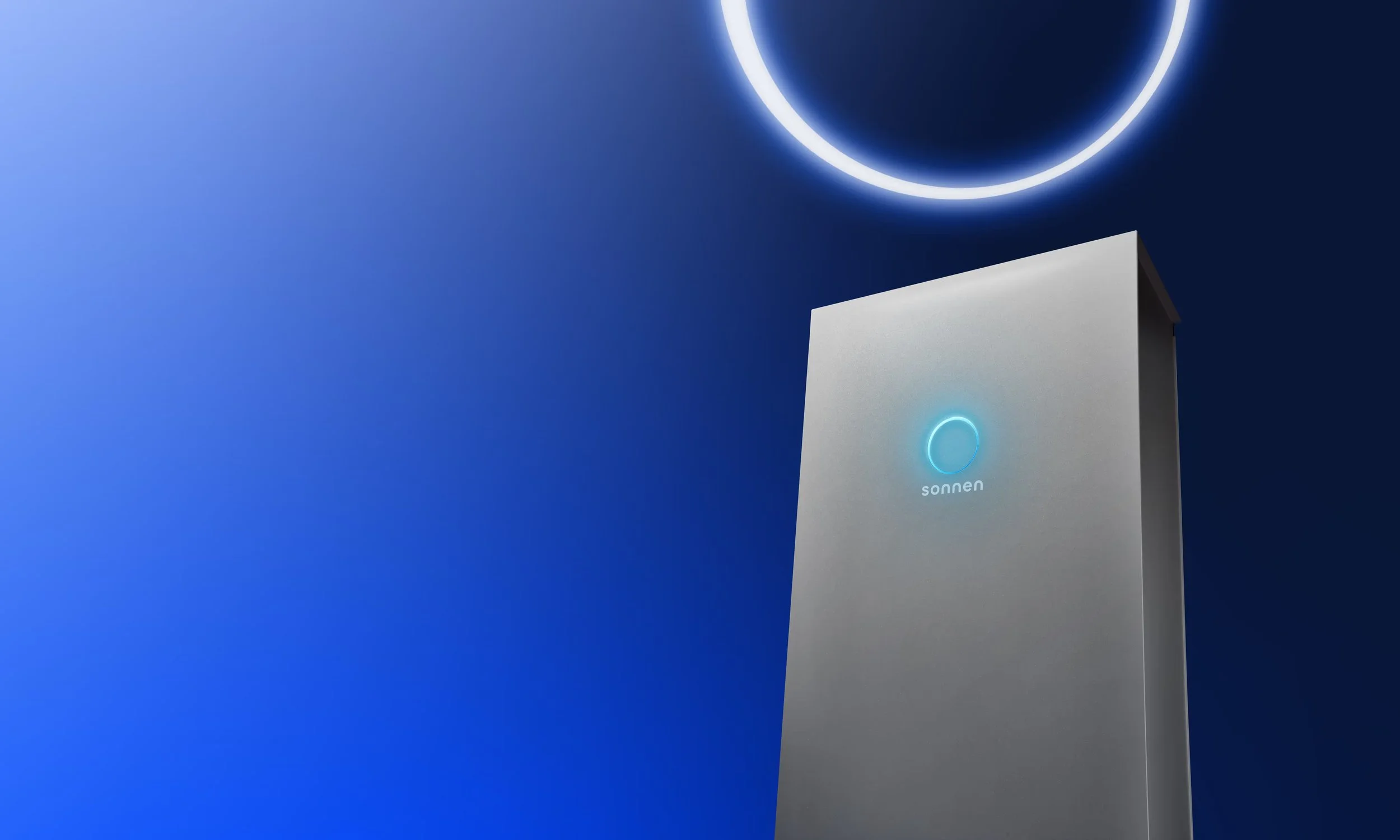
sonnen · Partner Portal
The hybridBattery Photovoltaic Check
A tool designed for solar installers check a PV setup before it goes into an offer.
Year2024
my roleExternal UX & UI Designer
ScopeInteraction design, Prototyping, User research, Usability testing, Developer Handover
Team
Product Owner, Dev Team, Technical Intern
Summary
sonnen's installation partners need to confirm that a planned PV system works with the inverter built into the sonnen hybrid battery. The tool is a compatibility check for the Partner Portal.
I user tested a previous version from before I started with five participants across four countries, and redesigned it based on the findings. The revised version was handed over to development and is now live, implemented close to the design.
Sneak Preview of the final result
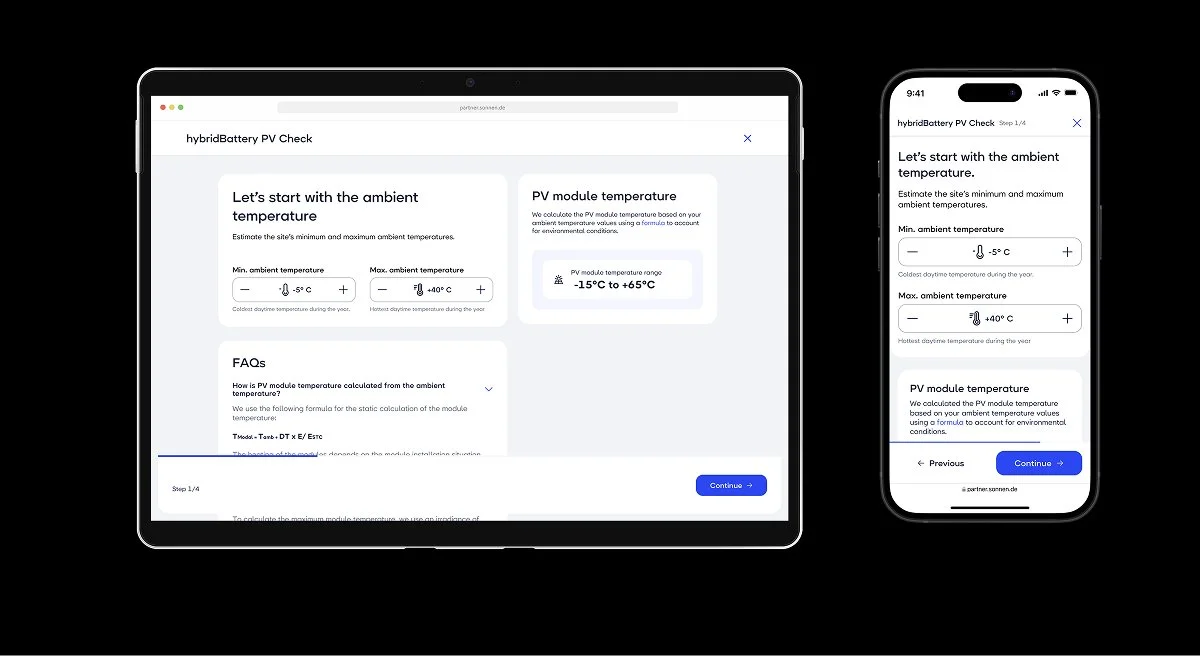
Step1: Installers put in the ambient temperatur of the site they are working on. The tool calculates the pv module temperature from the values.
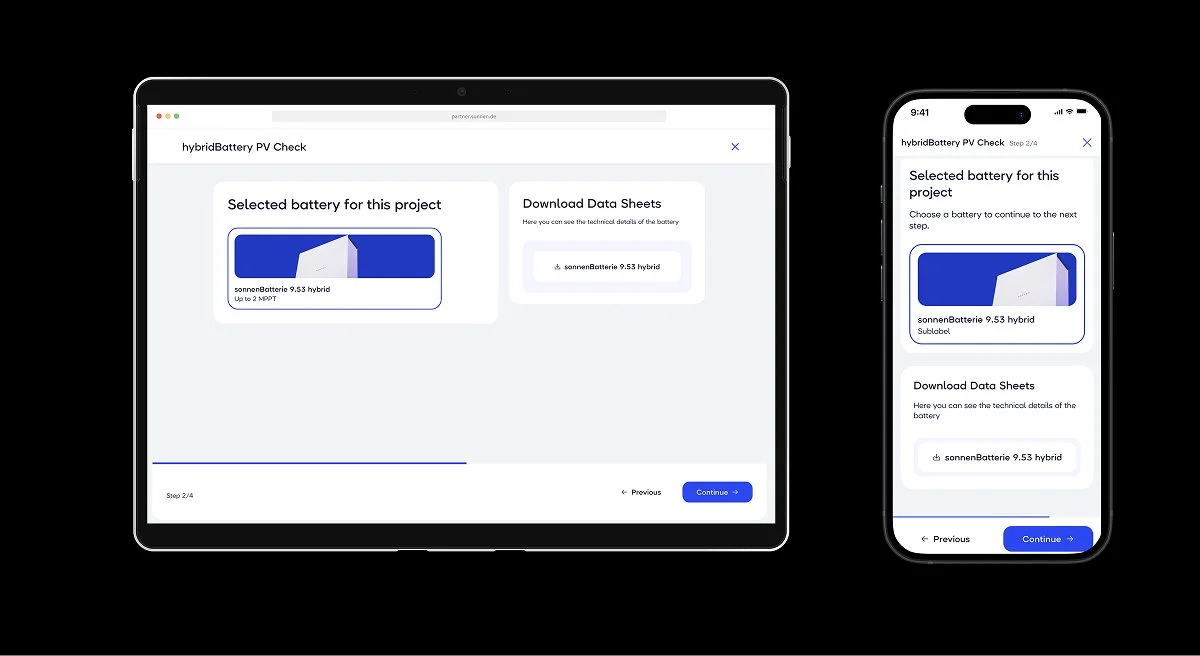
Step2: Partners select the battery they use for the system. Since it was an MVP there is only one battery, so it is pre-selected.
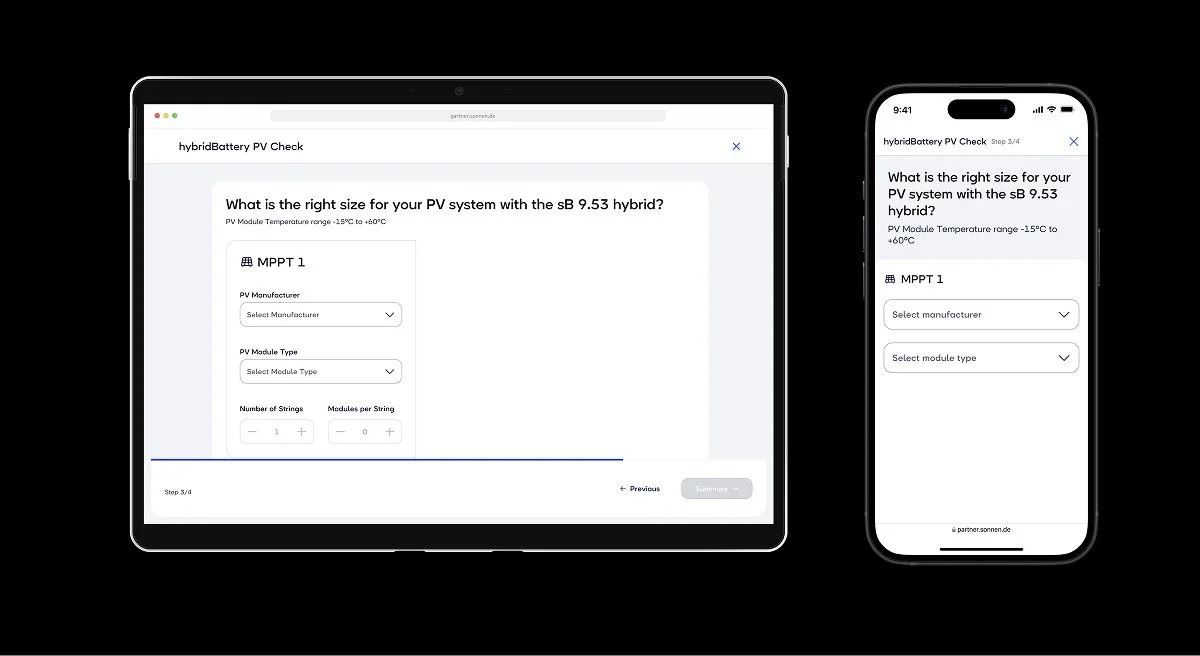
Step3: Partners select the pv manufacturer and pv module type
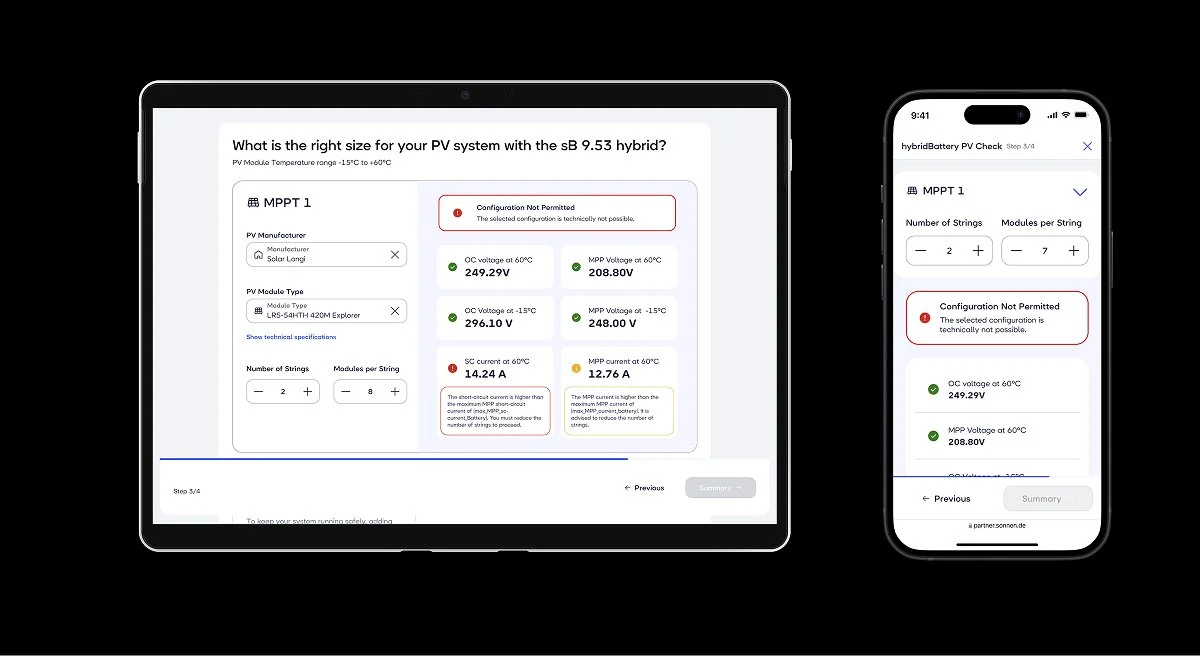
Step3: Partners can configurate, which setup works for their planned setup. Changing the number of strings & modules per string impacts the results.
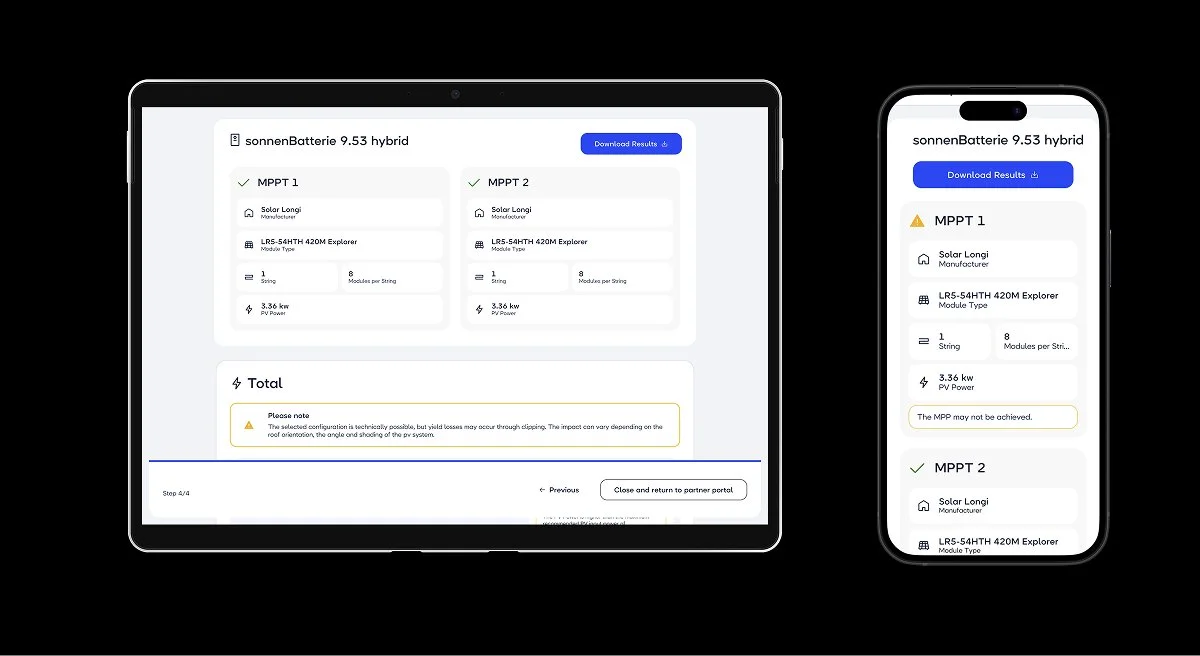
Step4: Partners can review and download their selected pv configuration
Overall user journey
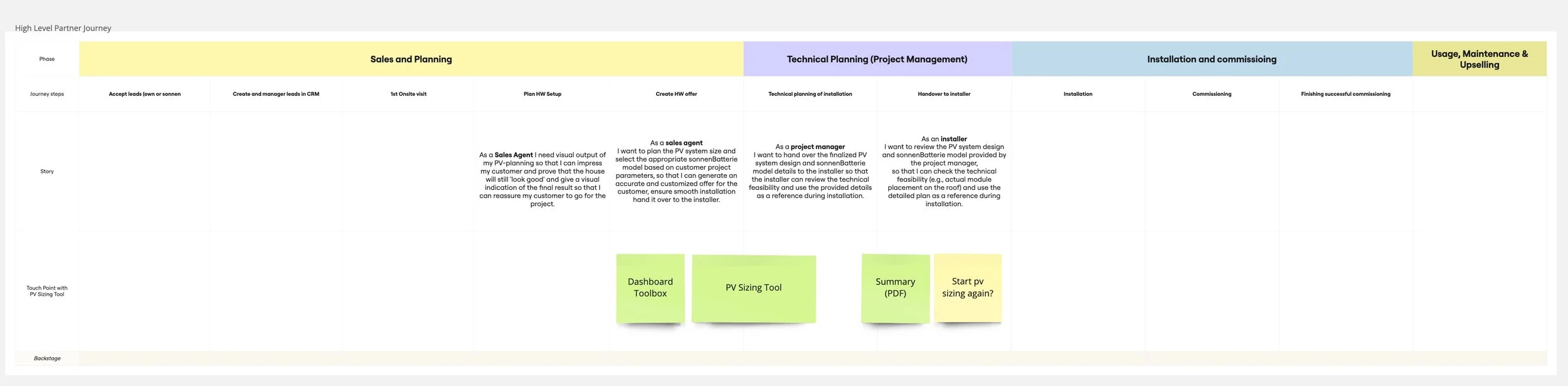
sonnen’s Partner Portal supports solar installation companies across the whole customer journey. The PV check sits between the Sales and the Technical Planning phase, when a sales agent prepares the hardware offer. The result then travels further: a project manager uses it for technical planning, and an installer uses it as a reference during installation.
Who is it for?
I started with a proto-persona based on what we knew from sonnen’s partner teams. (The UX Team provided me with extensive knowledge about the sonnen partners, which they learned from user testing.)
Proto Persona: Technical Sales Manger
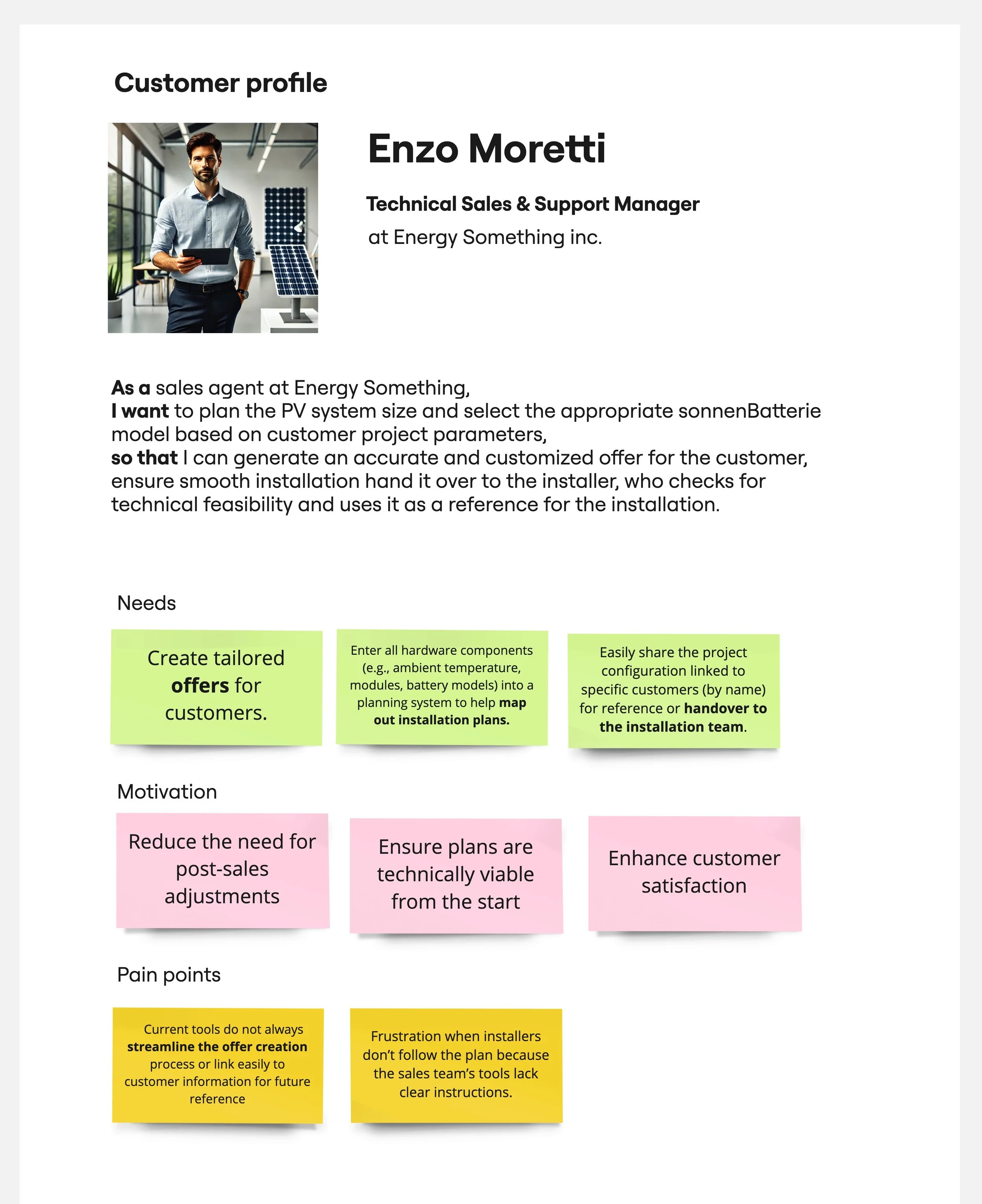
Since this was made for an internal review only, I was free to use AI imagery with pv panels at places where they don’t belong :-)
Where I started
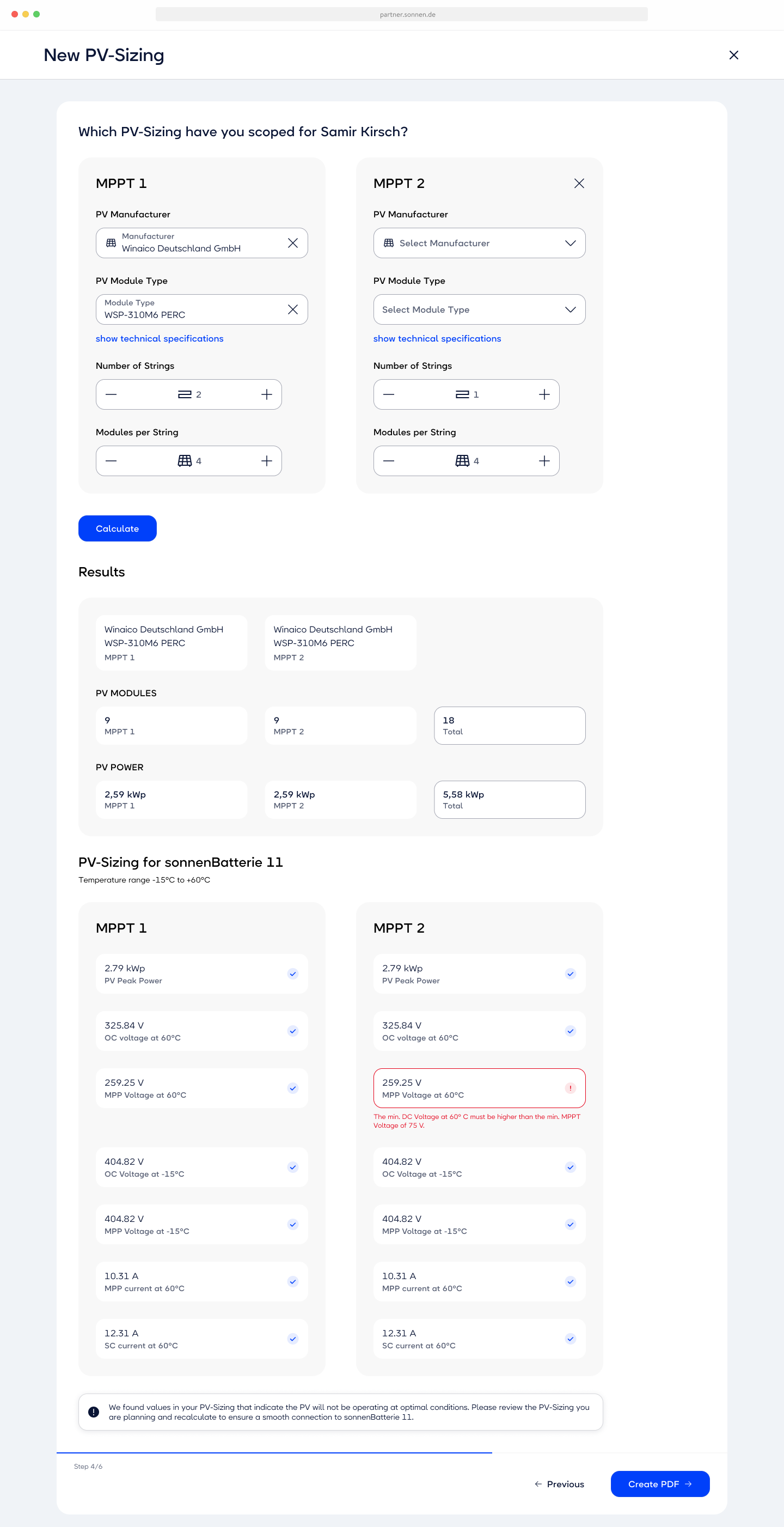
When I joined, an earlier concept already existed. It ran over six steps and listed every calculated value per tracker on one long page, behind a "Calculate" button. The page had plenty of white space, but lacked clarity due to the complexity of the page: With that many elements clutterness is unavoidable.
The one thing partners needed, whether the setup will work, was buried. A single red value sat somewhere in the list, and a general note at the very bottom said some values weren't optimal. It didn't tell partners which problems blocked the installation and which were only warnings.
“My redesign started from one question: what does the partner need to see first?”
The methology
Tested with5 participants
Interview length30-45 mins
Used by partners in 4 int. markets
Duration of testing2 weeks
What we tested and what we learned
-
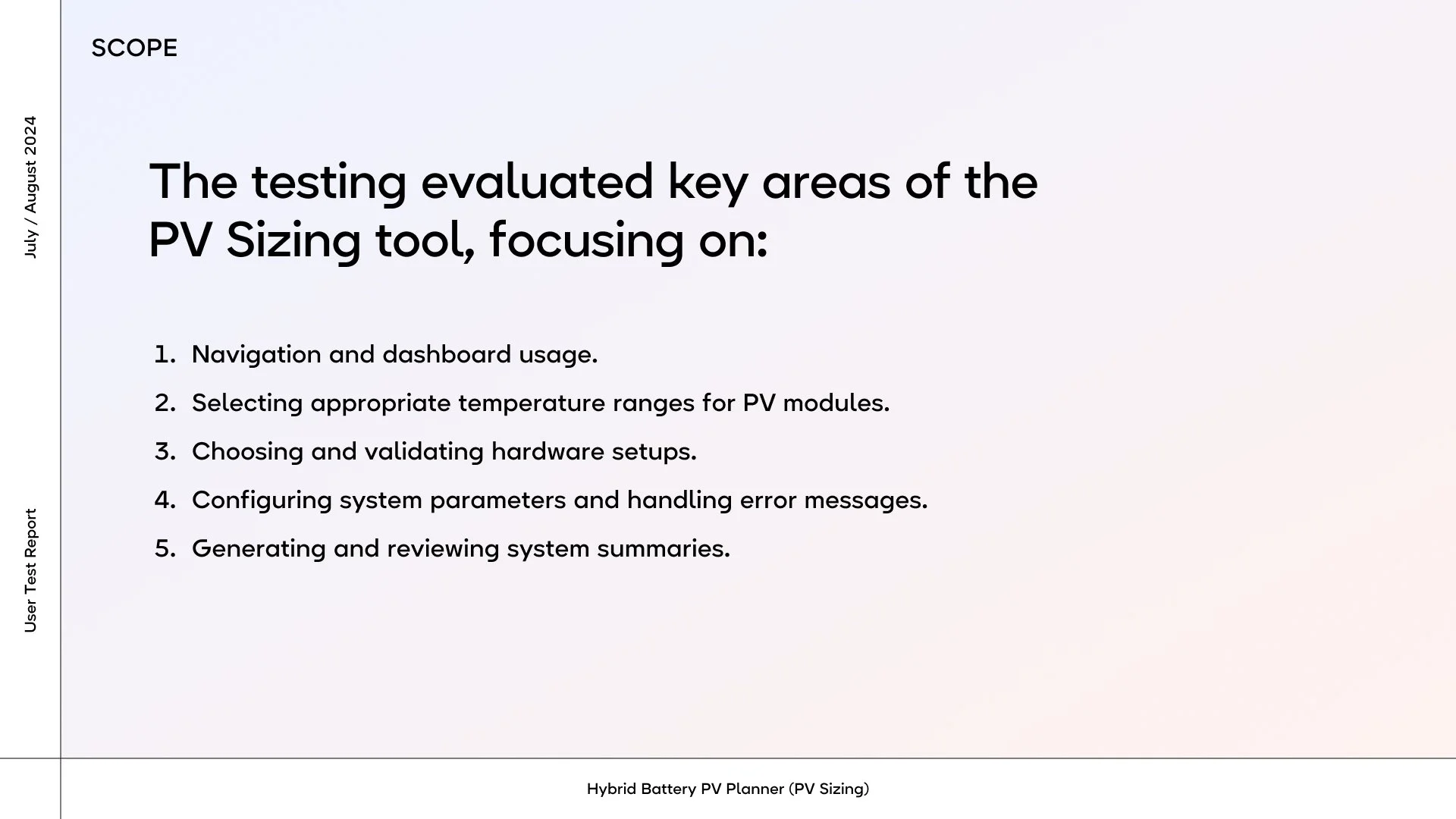
The Scope
These are the key areas we wanted to find out more about.
-
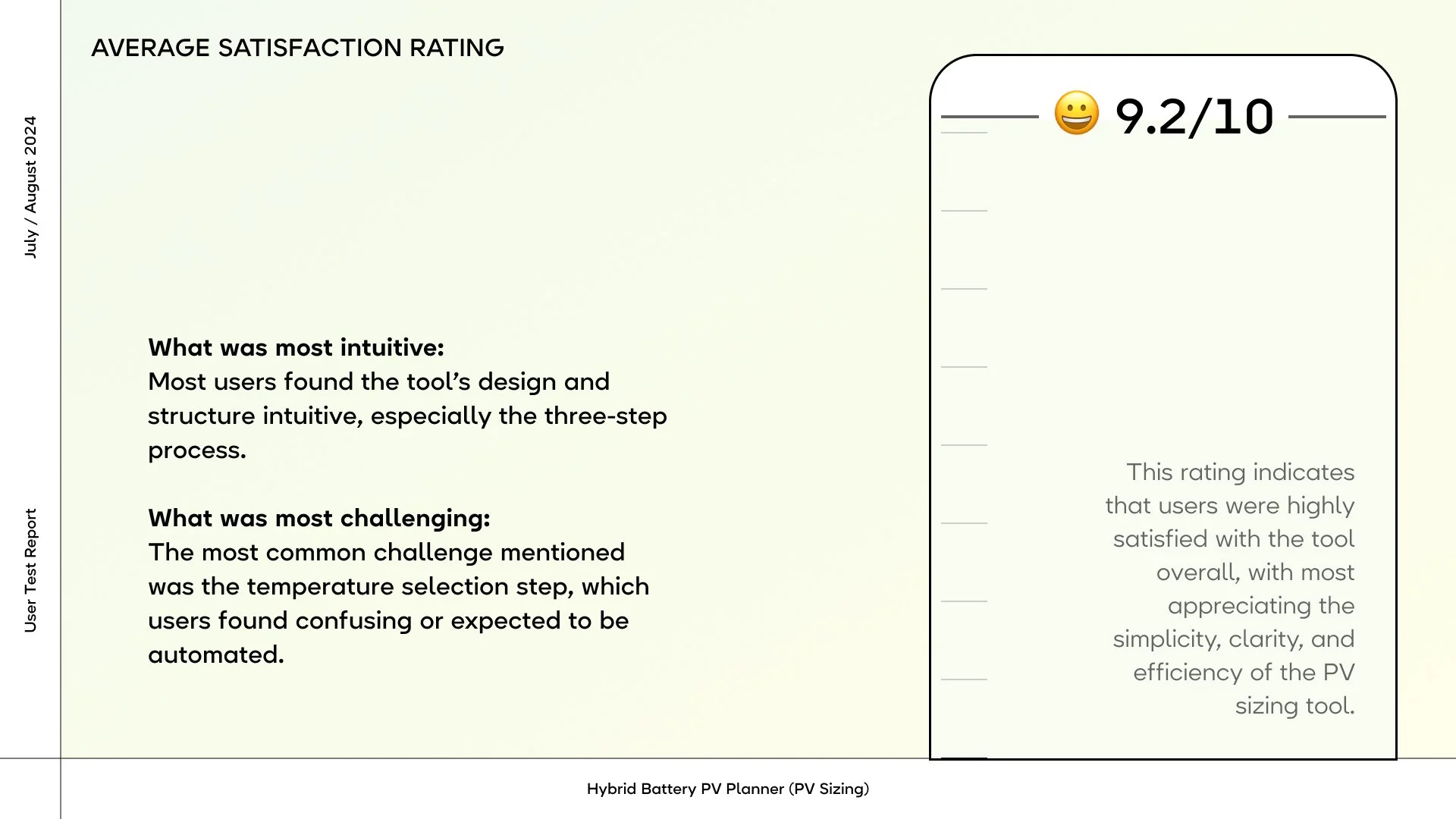
Satisfaction rating
Feedback on the first prototype was very positive. With four of five participants working at sonnen, it’s an encouraging signal, but not proof.
-
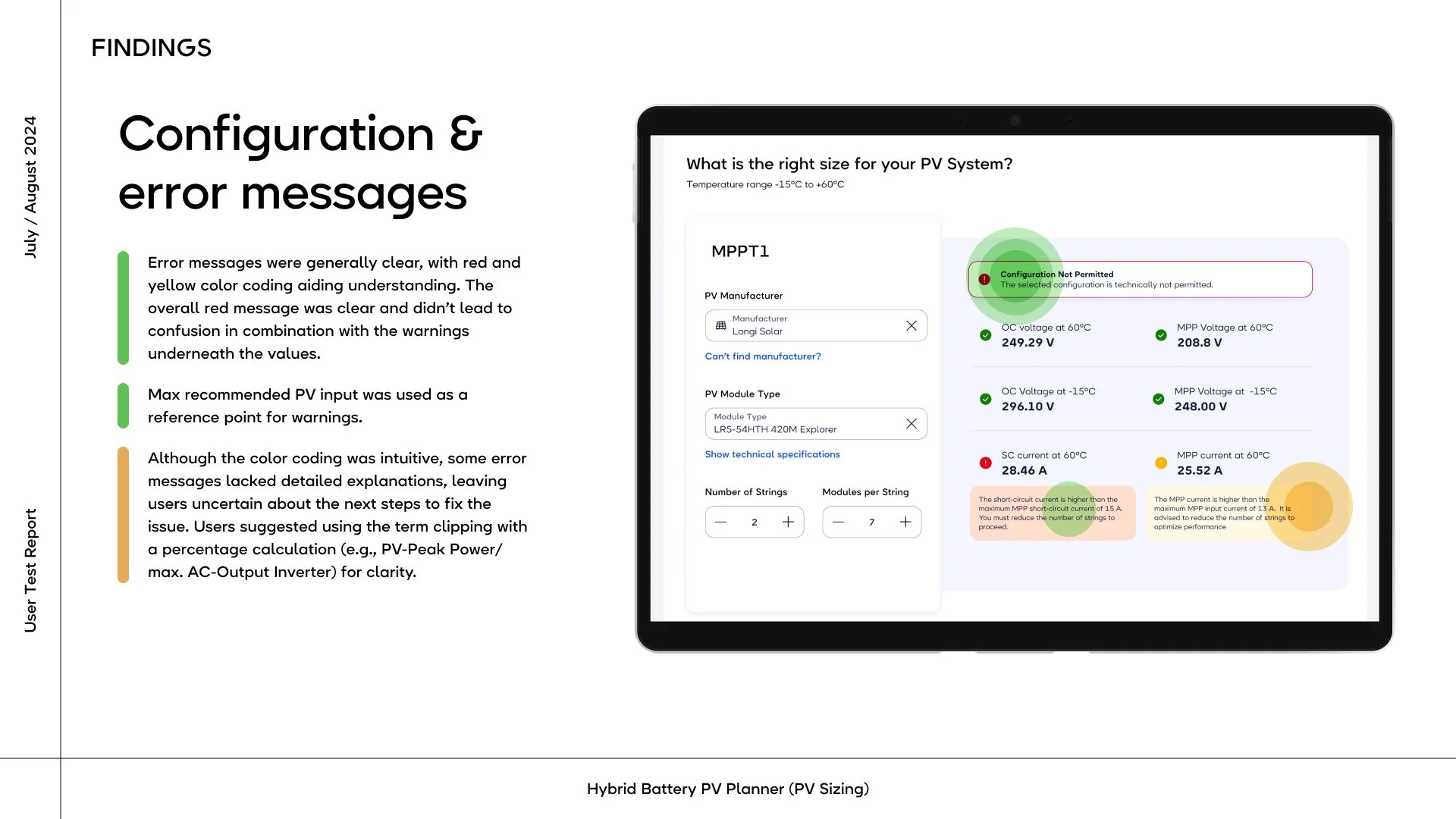
What was liked most
The participants really liked the clear color coding of • Three states per value against the inverter's limits: Green: within limits, Yellow: technically possible, but yield losses may occur, Red: not permitted. The partner can't continue until it's fixed.
-
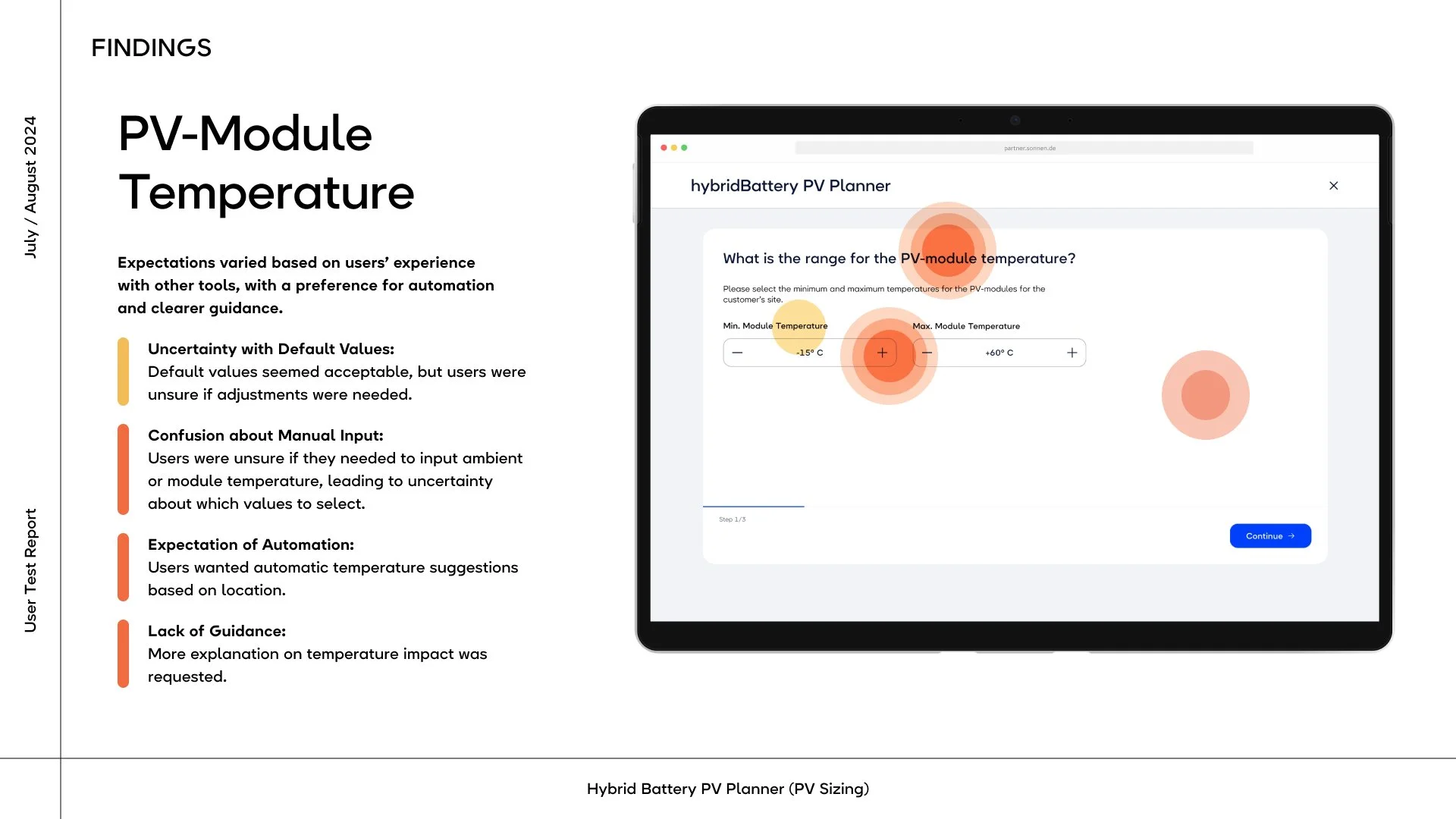
Temperature Input - Findings
In the first version we tested the input of the pv module temperature. Most participants found this confusing and not compatible with their internal tools and processes.
-
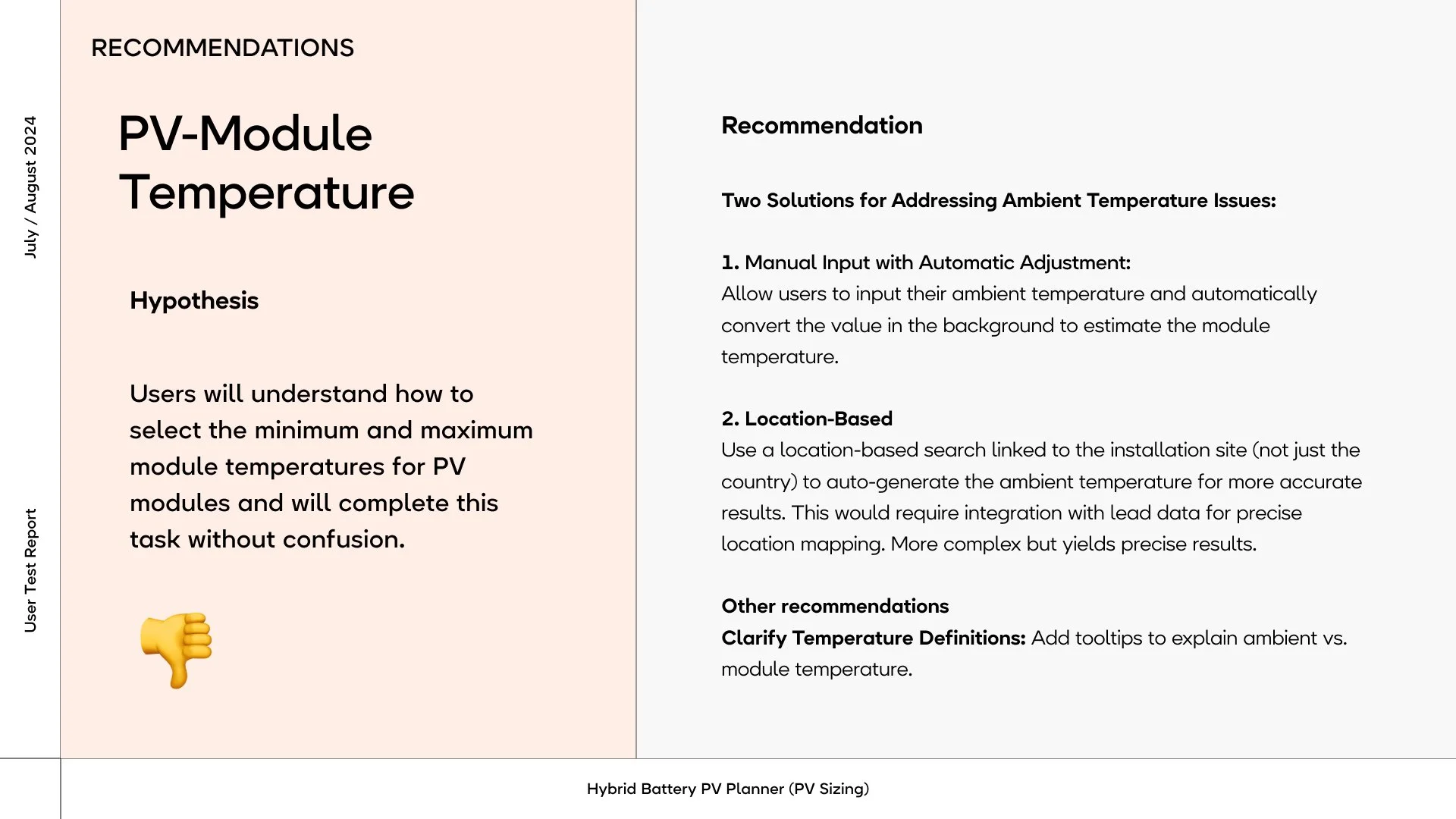
Temperature Input - Recommenation
The PV module temperature input confused every participant. They expected to enter the ambient temperature, the value they know from the site. So we added a calculator: partners now enter the ambient temperature, and the tool converts it to module temperature.
-
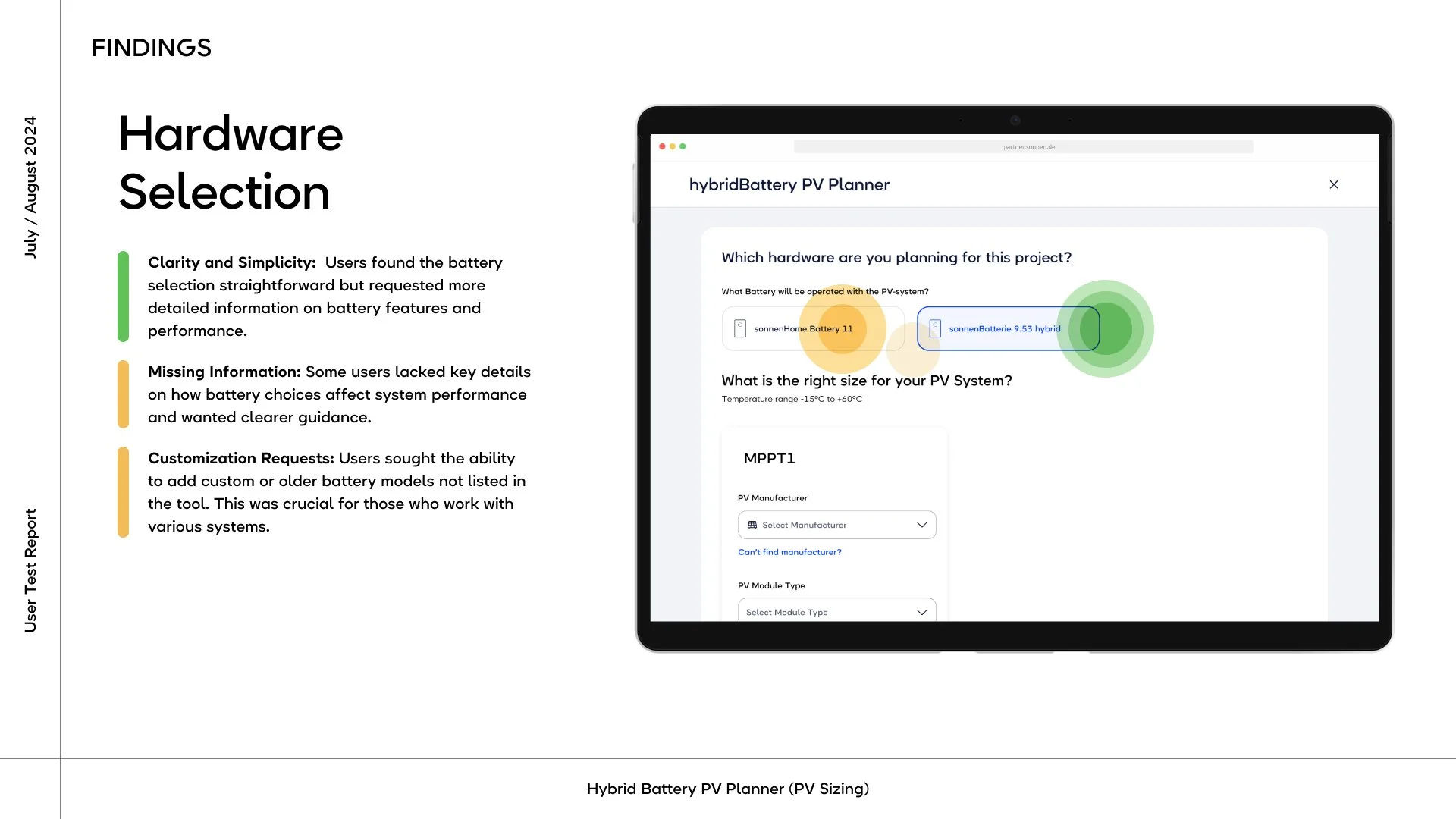
Selection of Battery - Findings
The participants liked the simpicity of the selector boxes. Some mentioned that they wished for clearer guidance on the affects on system performance.
-
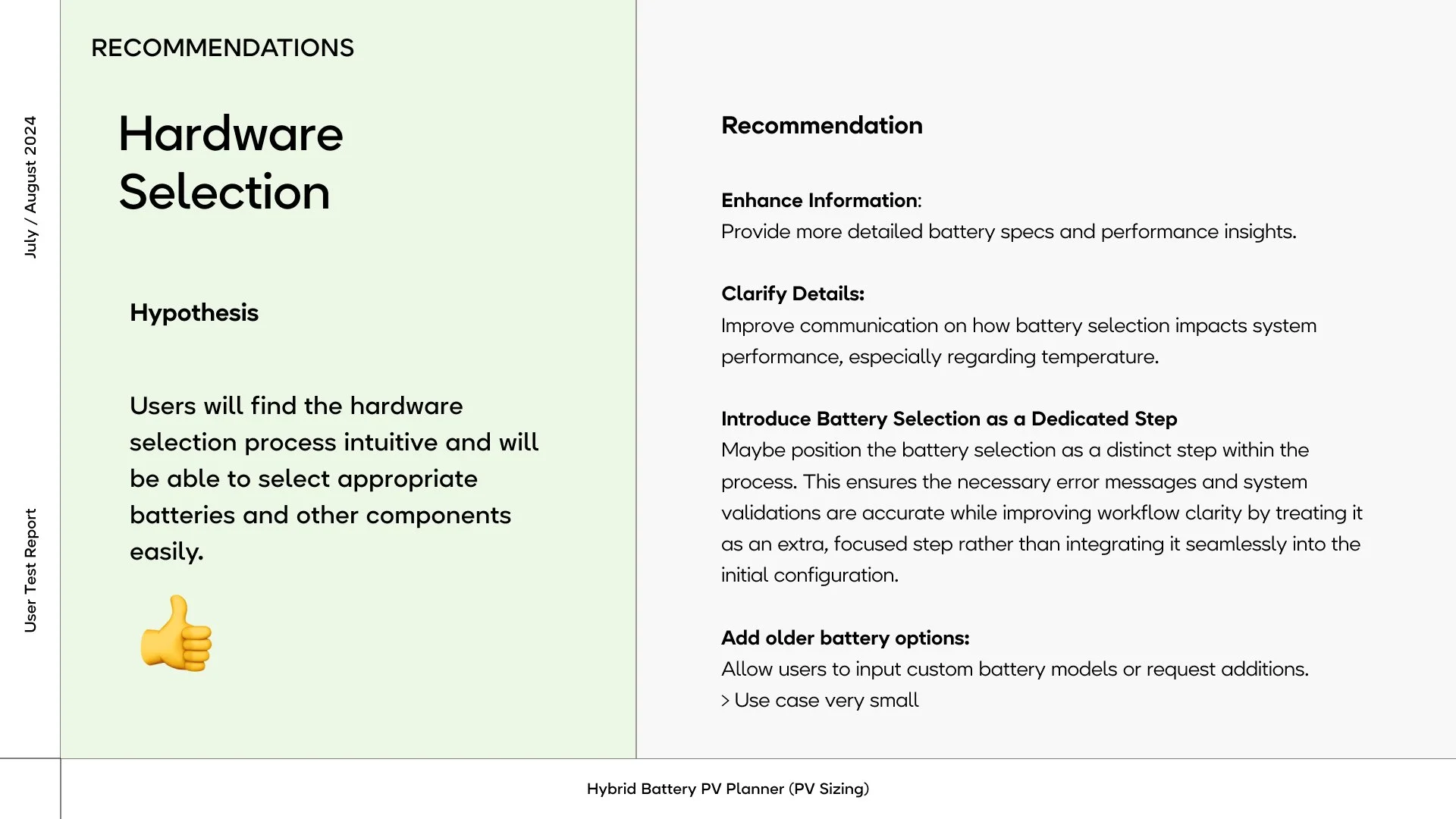
Selection of Battery - Recommendation
Participants found the hardware selection intuitive, as expected. I still moved the battery selection into its own step, to give room for more information on system impacts and for more models in the future.
-
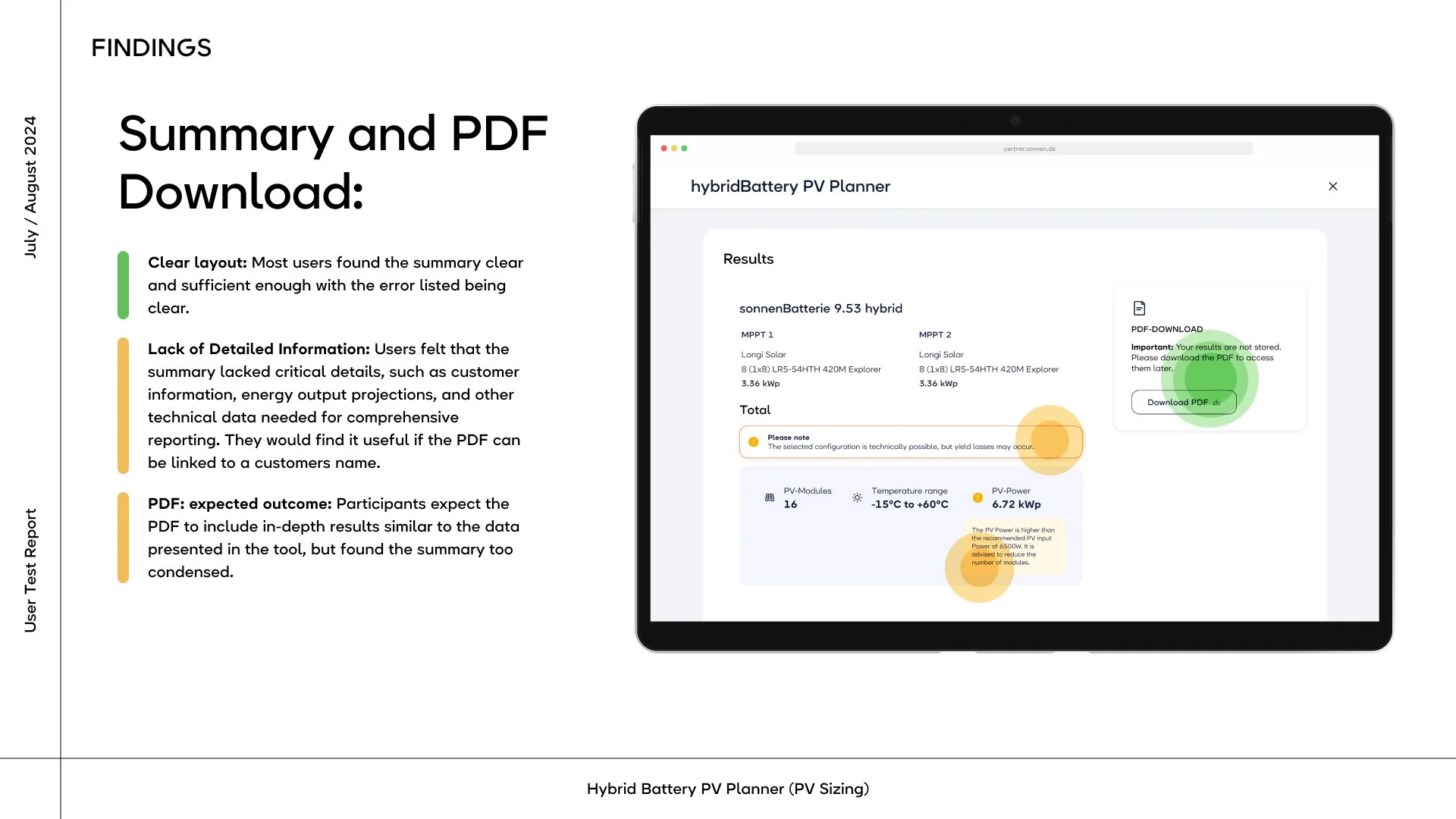
Summary page - Findings
Most participants said, that they expected detailed information on energy output projections for quality reporting. They also expected to download the pdf with customer info, so that they can share it with their stakeholders.
-
The tool became hybridBattery PV Check, described as a compatibility check.
-
Partners now enter the site's minimum and maximum ambient temperature. The tool calculates the module temperature and shows it live, and an FAQ explains the formula for anyone who wants to check it. A location-based version would be more automated, but it needs lead data the tool doesn't have yet.
-
In the first version, hardware selection shared a page with the first tracker's configuration. It now has its own step, so the flow went from three steps to four. Selecting the battery first means every limit and warning that follows refers to that specific inverter.
-
ellow warnings now say what will happen, not only which value is exceeded. The total uses the partners' own term, clipping, and states that the impact depends on orientation, angle and shading. The total warning moved to the top, where it can't be missed.
-
From the dropdown, partners can upload the missing datasheet. They're told they'll be notified once it's added and can continue with another module meanwhile.
-
The PDF now includes the customer reference, date, all values per tracker, and every warning.
What changed
A screencast showing the latest version, from the toolbox: dashboard of the sonnens partner portal. It shows the final result.
Reflection
The hard part was turning dozens of electrical limits into decisions an installer can act on.
Testing showed that color alone isn't enough. A warning only helps when it explains the consequence in the user's language, like "clipping," not the system's language, like "MPP current exceeds 13 A."
It also showed that good UX here starts with the user's existing workflow. The temperature step failed not because the control was bad, but because we asked for something their tools had always calculated for them.
Comparing the earlier concept with the final tool shows how much of the work was leaving things out. The calculation behind both is the same. What changed is that the answer comes first, and the details only appear where they help the partner act.
Outlook
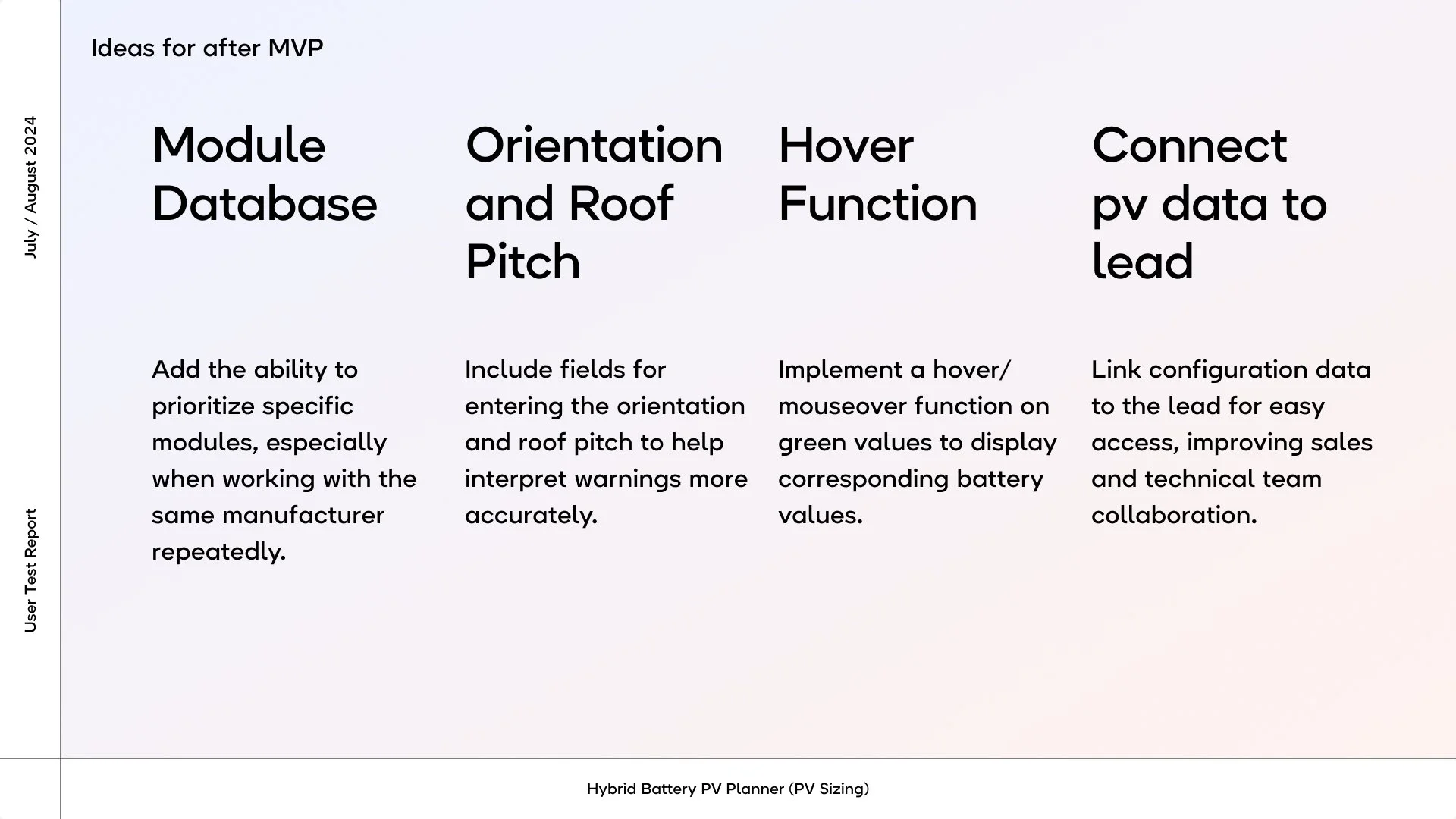
I provided the team with an outlook for after the MVP version to make sure that the suggestion by the participants are getting heard.
How I used AI in this project
I’m a designer, not a solar engineer, so when a project starts with “hybrid batteries” and “dynamic tariffs”, homework is part of the job. AI became my patient tutor. It explained PV systems at any hour without sighing, which meant I could join technical discussions and answer questions in meetings instead of nodding confidently and hoping for the best.
It also helped with smaller things: brainstorming names for the sizing tool (some were great, most were along the lines of “SolarSizer Pro Max”). It helped turning messy Miro boards into readable summaries, and condensing user test notes into comprehensible summaries. I orchestrated the findings & recommendations deck that stakeholders would actually read to the end.
What AI didn’t do: the research, the test planning and moderation, the design decisions, and the handover to the developers. Those were mine. I treated everything it produced as a first draft, never as the final word, and checked it against the source material and the client’s input.